Description
ASUS ZenBook Duo 14 UX482EG

ASUS ZenBook Duo 14″ 2021 Overview
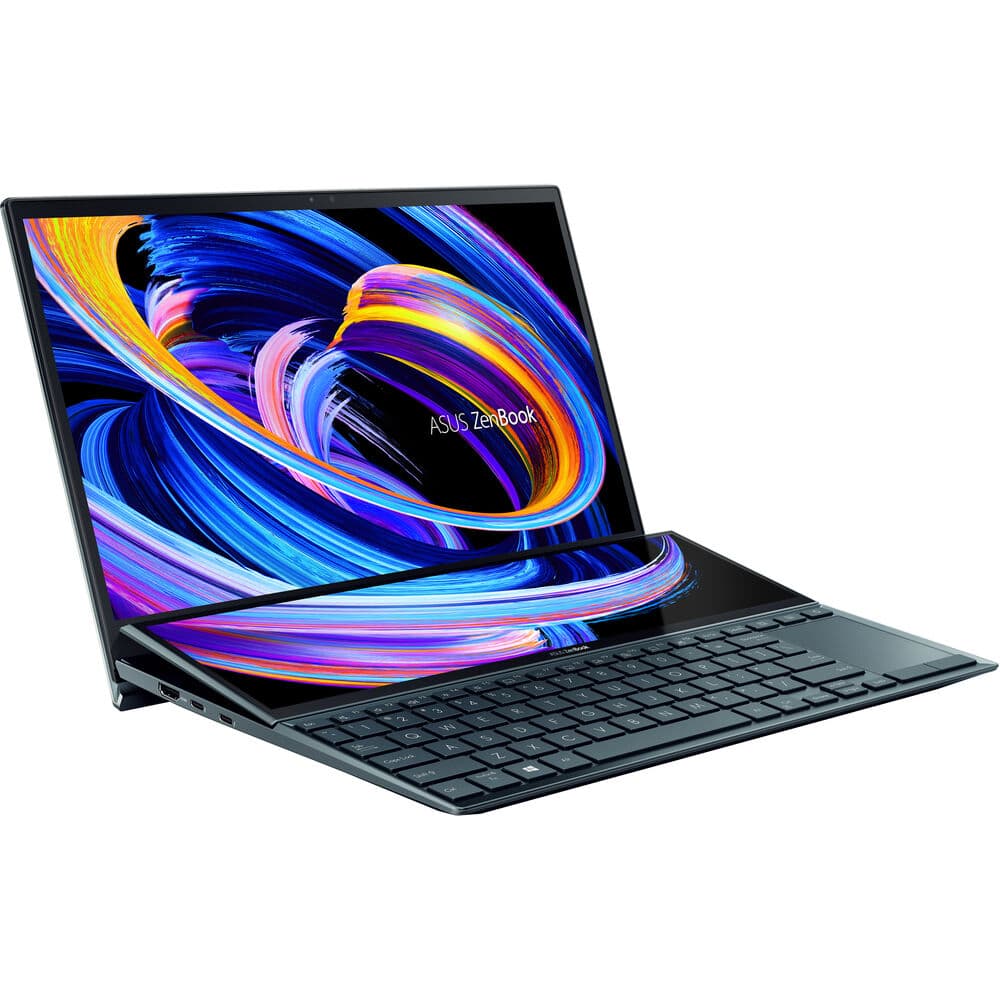
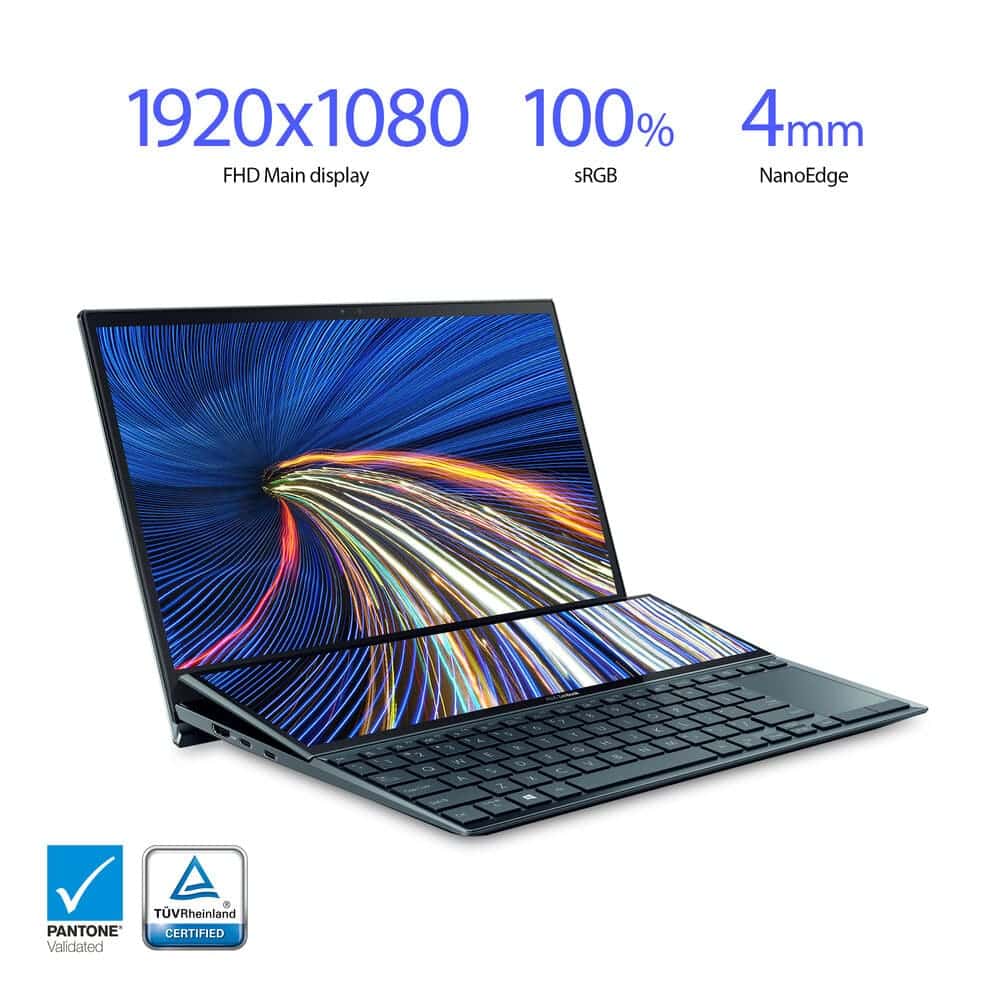
Enhance your work experience with the 14″ ZenBook Duo 14 Touchscreen Notebook from ASUS. Sporting dual touchscreen displays, the ZenBook Duo 14 optimizes workflow in creative and unique ways. The main 14-inch display has a resolution of 1920 x 1080 while the base of the device houses an angled 12.65-inch ScreenPad Plus display with 1920 x 515 resolution. Both displays utilize in-plane switching (IPS) technology, maintaining a clear picture while providing wide viewing angles, ideal for graphic designers and artists.
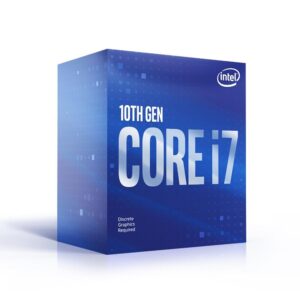
The ZenBook Duo 14 is equipped with a 2.8 GHz Intel Core i7 processor, 16GB LPDDR4X on-board RAM, and a 1TB M.2 PCIe NVMe solid-state drive to provide enhanced system performance, suitable for various graphic design programs. With NVIDIA GeForce MX450 Graphics, you can experience vivid colors and detailed imagery, essential for designers looking for color accuracy. Additionally, the ZenBook Duo 14 includes an array of Thunderbolt 4 ports for increased transfer rates with external drives as well as multi-display support.
Dual Display Touchscreens
The ZenBook Duo 14 sports a 14-inch NanoEdge display with thin bezels, 400 nits brightness, and 93% screen-to-body ratio. The unique display is PANTONE validated, ensuring professional-grade color accuracy, ideal for graphic design. The display is also TUV Rheinland certified for low blue-light emissions, reducing eyestrain and visual fatigue during long projects.
ScreenPad Plus
Equipped with a secondary display, the ZenBook Duo 14 allows you to embrace your creative side. The ScreenPad Plus secondary touchscreen display tils up to an angle of 7°, which reduces glare and reflections for a clear look at your projects. With included ScreenXpert 2 software, you can experience cross-screen multitasking, boost productivity with built-in applications, and embrace unique features within the Adobe suite with Control Panel.
Control Panel Application
Embrace intuitive control over your creative apps within the Adobe Suite with the Control Panel app. Interact with your creations and fine-tune them with touchscreen-enabled dials, buttons, sliders, and scroll bars. Control Panel is compatible with Adobe After Effects, Premiere Pro, Lightroom, and Photoshop.
Enhanced Ergonomics
ASUS designed the ZenBook Duo 14 with a unique style made to enhance workflow and provide an ergonomic experience when placed on the included Duo Stand. The stand angles the computer to provide a better typing experience as well as increase the tilted ScreenPad Plus angle for a better look at your touch-enabled controls.
Enhanced Cooling
Engineered to harness cool air and keep your system safe from heat damage, the ZenBook Duo 14 uses Active Aerodynamic System Plus, which uses the ErgoLift hinge mechanism and ScreenPad Plus to increase airflow into the system.
Thunderbolt 4 Connectivity
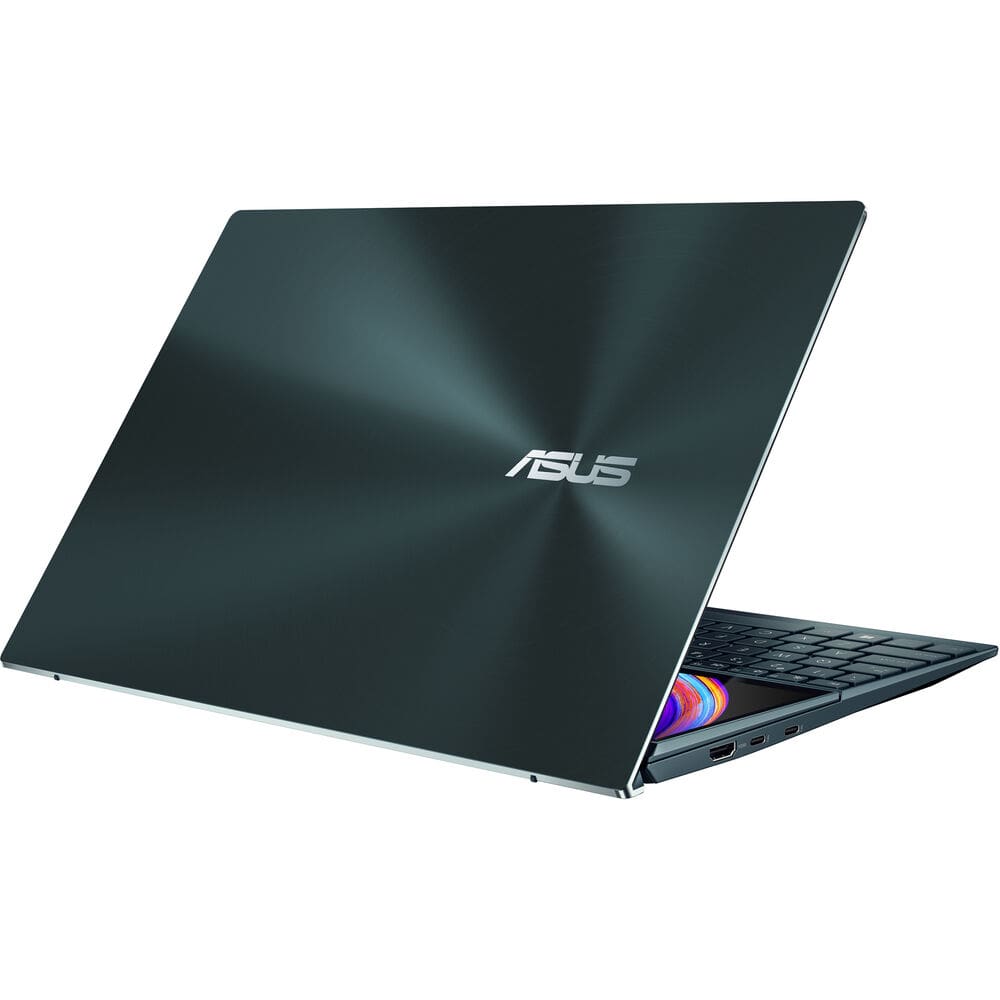
Dual Thunderbolt 4 USB Type-C ports provide increased data-transfer speed with support for DisplayPort and Power Delivery. A single USB 3.2 Gen 2 Type-A port is available for peripherals such as mice and storage drives. For photographers on the go, microSD card support is also available for quick access to pictures. Connect your headphones to the 3.5mm combo audio jack for private listening as you work.
Wireless Capabilities
Connect to local wireless networks with Wi-Fi 6 (802.11ax) technology, which stabilizes your connection and increases upload and download speeds. Bluetooth 5.0 capabilities allow you to use wireless peripherals such as headphones and mice, freeing up USB ports and giving you a cable-free experience.
Harman Kardon Sound
The ASUS Golden Ear team worked with Harman Kardon to develop SonicMaster audio technology, which provides immersive sound whether you are working on projects or enjoying various forms of media.
Hands-Free Login
Login to your system with Windows Hello and the ZenBook Duo 14’s infrared camera, allowing you to quickly get back to what you were doing, even in the dark.
Military-Graded Tested
Tested in accordance with MIL-STD 810H military testing protocols, the ZenBook Duo 14 promotes reliability and durability.
Windows 10
Start Menu
After its hiatus in Windows 8, the Start Menu has returned. Utilizing a combination of the traditional menu system and Windows 8’s Live Tiles, the improved Start Menu gives you more information at a glance, showing notification information alongside your applications and other pinned items.
Cortana
Microsoft’s digital personal assistant, Cortana can answer your questions with information gleaned from both your device and the internet at large. You can type or even talk with her, if your system has a microphone. Using her Notebook, Cortana keeps track of your needs and wants, and she learns over time to improve her information gathering skills.
Microsoft Edge
After nearly 20 years, Microsoft has finally replaced its Internet Explorer web browser. With Microsoft Edge, users can write directly on web pages and share notes with friends and colleagues. It also improves the online reading experience by adding a distraction-free mode and read-it-later functionality. Edge also has built-in Cortana integration; you can have her help you find a restaurant, make a reservation, and pull up directions without leaving your browser.
Windows Store
For Windows 10, Microsoft has unified the Windows Store. Now, apps for PCs, tablets, and phones will all be accessible from one place. And with support for Universal Apps, one version of an app can work across all your compatible devices automatically.
Windows Continuum
Windows 10 was designed for a variety of screen sizes and input styles, and with its Continuum feature, it automatically adapts to fit your needs. A Windows 10 tablet on its own requires a touch-centric approach, but attaching a mouse and keyboard will shift everything to a more traditional interface. You can even attach an external monitor to your Windows 10 phone for a near-desktop experience. But it’s not just the operating system; Windows Universal Apps take advantage of Continuum as well.
Xbox on Windows 10
Gaming is a big focus of Windows 10. Xbox integration allows for PC players to match up against Xbox One players on supported games, and if you have an Xbox One, you can even stream compatible titles to your PC. Native support for recording with the new Game DVR feature makes it easy to capture and share your gameplay. The new DirectX12 takes better advantage of multi-core processors, giving games a performance boost, even on older hardware. Windows 10 also features native support for virtual reality headsets, such as the Oculus Rift.
Windows 10 Pro Features
The Pro version of Windows 10 includes all of the features of Windows 10 Home plus many designed specifically for business users, including Hyper-V virtualization, BitLocker disk encryption, and remote desktop access. Devices will also be able to join domains and the Azure Active Directory, and they can even access a specialized version of the Windows Store featuring custom, company-specific applications
ASUS ZenBook Duo 14″ 2021 Specs
| Operating System | Windows 10 Pro (64-Bit) |
Performance
| CPU | 2.8 GHz Intel Core i7-1165G7 Quad-Core (11th Gen) |
| Maximum Boost Speed | 4.70 GHz |
| L3 Cache | 12 MB |
| Memory Type | LPDDR4x |
| Total Installed Memory | 16 GB |
| Memory Configuration | 16 GB (Onboard) |
| Graphics Type | Dedicated |
| GPU | NVIDIA GeForce MX450 with 2 GB GDDR6 VRAM |
Display
| Panel Type | IPS-Type LCD |
| Size | 14″ |
| Aspect Ratio | 16:9 |
| Resolution | 1920 x 1080 |
| Touchscreen | Yes |
| Finish | Matte |
| Maximum Brightness | 400 cd/m2 |
| Color Gamut | 100% sRGB |
Storage and Expansion
| Total Installed Capacity | 1 TB |
| Solid State Storage | 1 x 1 TB M.2 NVMe PCIe |
| Optical Drive | None |
I/O
| Ports | 1 x USB Type-A (USB 3.1 / USB 3.2 Gen 2) |
| USB Type-C Ports | 2 x Thunderbolt 4 (Supports DisplayPort and Power Delivery) |
| Display | 1 x HDMI 1.4 |
| Audio | 1 x 1/8″ / 3.5 mm Headphone/Microphone Input/Output |
| Built-In Speakers | Yes |
| Built-In Microphones | Yes |
| Media/Memory Card Slot | Single Slot: microSD/microSDHC/microSDXC |
Communications
| Ethernet | None |
| Wi-Fi | Wi-Fi 6 (802.11ax) |
| MU-MIMO Support | Yes |
| Bluetooth | 5.0 |
| GPS | None |
| NFC | No |
| Webcam | Yes |
Battery
| Battery Chemistry | Lithium-Ion |
Keyboard & Mouse
| Keyboard | Chiclet Notebook Keyboard with Backlight |
| Pointing Device | Stylus, TouchPad, Touchscreen |
General
| Security | Dedicated TPM Security Chip, Webcam Blocker |
| Power Supply | 65 W |
| AC Input Power | 100 to 240 VAC, 50 / 60 Hz |
| Dimensions | 12.76 x 8.74 x 0.68″ / 32.4 x 22.2 x 1.73 cm |
| Weight | 3.57 lb / 1.62 kg |




























 +
+ 




Leave a Reply
You must be logged in to post a comment.